
Kerning Definition
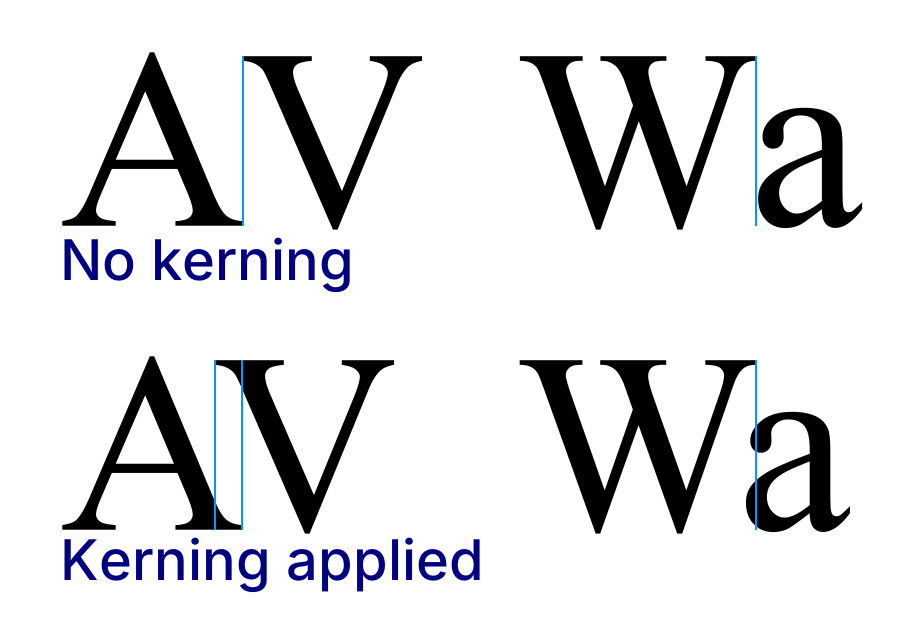
Kerning is the typographic technique that involves adjusting the space between individual characters to improve visual harmony and enhance readability. This practice corrects uneven gaps that arise from the design of various font shapes. Originating from the manual adjustments of movable type, kerning has evolved with technology, becoming essential in both print and digital typography. It is distinct from tracking, which uniformly adjusts spacing across entire blocks of text, contributing to overall text density. Further exploration reveals additional insights into its significance and techniques.
Definition and Purpose of Kerning
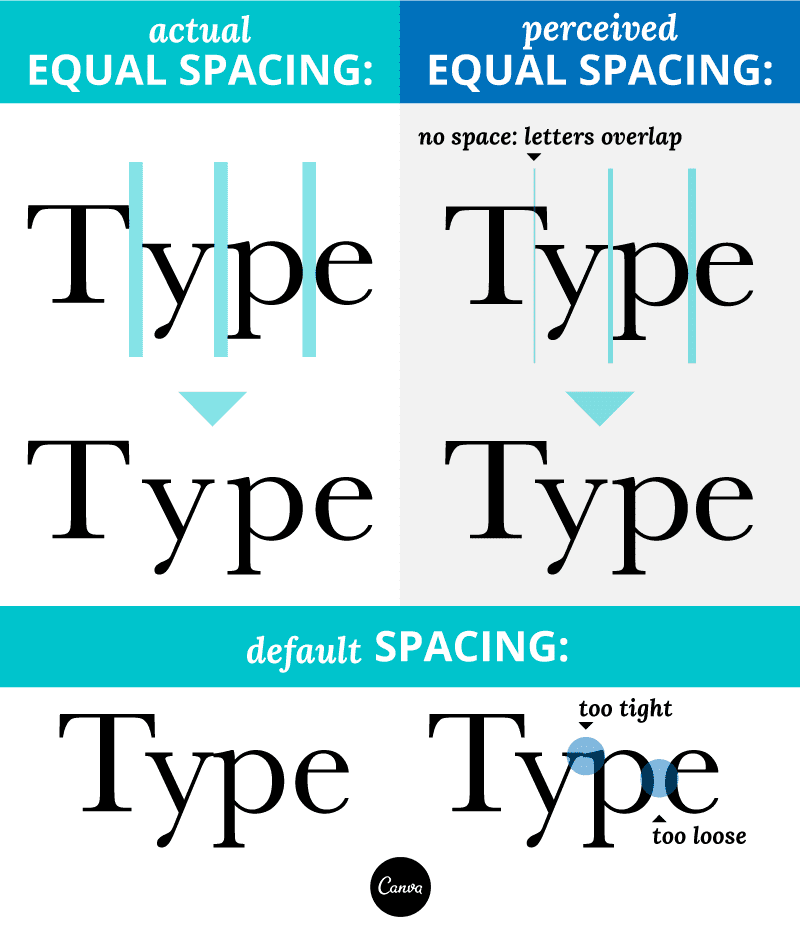
Kerning is the typographic process that involves the adjustment of space between individual characters to achieve visual harmony and enhance readability. This manual adjustment corrects uneven gaps caused by varying font shapes, creating visually pleasing and readable text.
Proper kerning enhances readability by preventing awkward spacing and ensuring consistent spacing throughout the text. It is particularly crucial in logo design and other branding applications, where a balanced appearance influences perception.
Font pairing considerations are essential, as they help maintain aesthetic consistency and avoid misinterpretations, thereby polishing the overall presentation of professional typography across various mediums.
Kerning - Wikipedia by en.wikipedia.org
History of Kerning
The history of kerning is rooted in the evolution of movable type, which emerged during the Renaissance period.
Initially, kerning involved manual adjustments in metal typesetting, where individual letter spacing was modified to enhance readability and aesthetic appeal. This labor-intensive process limited kerning to specific letter combinations, such as *VA* or *AV*.
Kerning originally required meticulous manual adjustments in metal typesetting to improve readability and visual harmony.
With the advent of phototypesetting in the mid-20th century, kerning became more flexible, allowing for precise letter spacing adjustments.
Digital typography further simplified kerning, integrating inherent values into modern fonts.
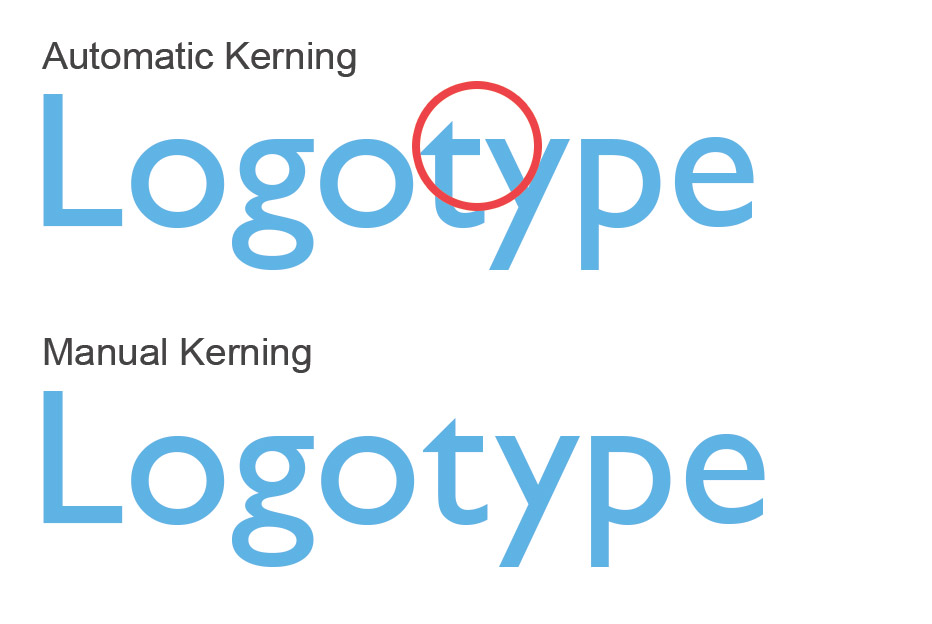
Today, both automatic and manual kerning remain essential for achieving ideal readability and visual consistency across various media.
A beginner's guide to kerning like a designer by canva.com
Kerning typography when designing a logo by logogeek.uk
Kerning vs. Tracking
When exploring typography, it is essential to differentiate between kerning and tracking, as each serves a distinct purpose in text design. Kerning adjusts the space between specific letter pairs to create a visually pleasing effect, addressing spacing inconsistencies.
Conversely, tracking modifies spacing uniformly across entire text blocks, influencing overall text density. While kerning enhances precise typography, tracking impacts readability on a broader scale.
Tools to adjust these features are widely available in modern desktop publishing software, such as Adobe InDesign. Both techniques play vital roles in common usage in print, ensuring clarity and aesthetic appeal in textual presentations.
Importance of Kerning
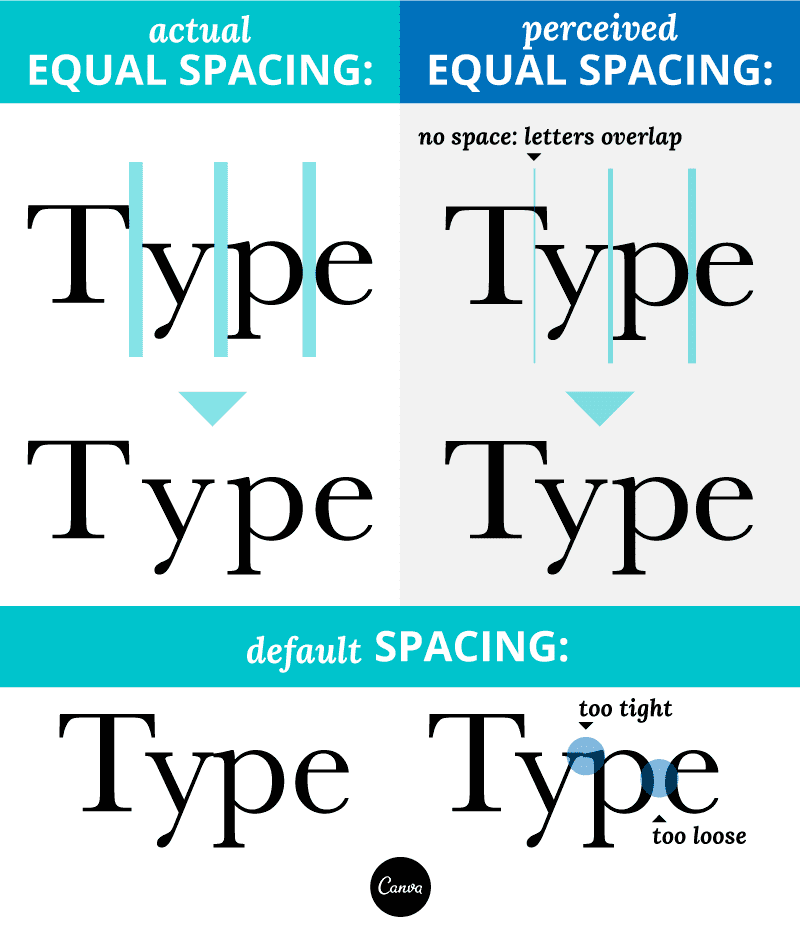
Effective typography relies heavily on the precise adjustment of spacing between characters, a process known as kerning. This technique is essential for achieving a harmonious appearance in text, as it enhances readability and visual impact.
Proper kerning addresses design considerations such as letter-spacing and tracking, ensuring letters neither collide nor create awkward gaps. In printed material, effective kerning notably improves the flow of messaging, making it easier for readers to engage with the content.
In the end, attention to kerning fosters a polished aesthetic that supports effective communication, thereby contributing to the overall success of visual design in both print and digital formats.
A beginner's guide to kerning like a designer by canva.com
Popular Wiki Terms:
Tools and Software for Kerning
Kerning tools and software play an essential role in the domain of typography, facilitating the precise adjustment of letter spacing.
Adobe InDesign and Adobe Illustrator offer kerning features that allow for manual adjustments for ideal kerning and tracking overall letter-spacing. The Glyphs App specializes in managing kerning pairs efficiently, enhancing visual consistency in font design.
Adobe InDesign, Illustrator, and Glyphs App provide essential tools for precise kerning adjustments and font design consistency.
Phototypesetting machines historically required similar adjustments, laying the groundwork for modern practices.
Web kerning tools utilize CSS properties and JavaScript libraries to guarantee consistent spacing across digital platforms.
These resources collectively support typographic clarity and enhance the overall aesthetic of written communication.
References & Data Sources:
https://en.wikipedia.org/wiki/Kerning – Retrieved April 30, 2025
https://www.canva.com/learn/kerning/ – Retrieved May 2, 2024
https://logogeek.uk/logo-design/kerning-typography/ – Retrieved February 2, 2025