
Folders Definition
Folders are essential components of file systems that organize digital content in a hierarchical fashion. They facilitate effective document management and improve retrieval efficiency. Various types exist, including physical and digital formats, each serving specific purposes. A well-structured folder hierarchy enhances navigability and search performance. Best practices, such as standardized naming conventions and regular maintenance, optimize organization. Understanding the nuances of folder systems can appreciably impact digital asset management and operational workflows.
Definition of Folders
Folders serve as integral components within file systems, enabling the organization and management of digital content. Commonly referred to as directories or catalogs, folders function as containers that group various files and subfolders into a hierarchical structure. This organization resembles a tree, facilitating user navigation and file management. Folders are designed to hold multiple file types, allowing for categorization and ease of access. They support the creation of complex subsystems and are essential for implementing organizational best practices. The current working directory refers to the folder where software applications run, which is crucial for effective file management. A well-structured folder hierarchy enhances digital asset management, making it easier for users to locate and retrieve files efficiently. Understanding file and folder structures is essential for efficient data management in quantitative analysis. Accessibility and customization options enhance user experience, making folders a fundamental aspect of effective digital content management.
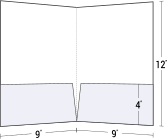
Pocket Folders - Custom Printed
FREE SAMPLES by companyfolders.com
Purpose and Benefits
Effective organization and management of digital content are critical in contemporary environments. Folders provide a structured method for organizing files, enhancing file management efficiency. This systematic approach not only facilitates improved productivity but also supports quick retrieval of documents, saving valuable time. Folders enhance security by allowing specific access permissions, ensuring sensitive information is protected. They streamline workflows by grouping related documents, which aids in collaboration among team members. Implementing a clear folder structure can further optimize file organization, making it easier for users to find and manage their documents efficiently. Also, establishing useful folder structures at the start of digital projects can significantly improve the overall workflow design. By utilizing SharePoint for collaborative file storage, teams can enhance their organizational practices and ensure consistent file management.
Sample Kit by tradeonlyfolders.com
Types of Folders
Various types of folders serve distinct purposes in both physical and digital environments, each designed to enhance organization and efficiency. Physical folders include classification folders for topic-specific documents, bulk file folders for large organizations, and file jackets for document protection. Many folders are constructed with durability and security in mind to ensure they can withstand regular handling and protect sensitive information. A practical structure is essential for user-friendliness in both physical and digital folder systems. Digital alternatives consist of cloud-based folders for remote access, local folders on hard drives, and encrypted folders for security. Utilizing folders can help streamline file organization and improve overall productivity. Presentation folders are specifically designed for corporate presentations, while custom folders can be tailored to meet unique branding needs. These variations contribute considerably to effective document management across various industries, ensuring streamlined processes and improved accessibility.
Structure and Hierarchy
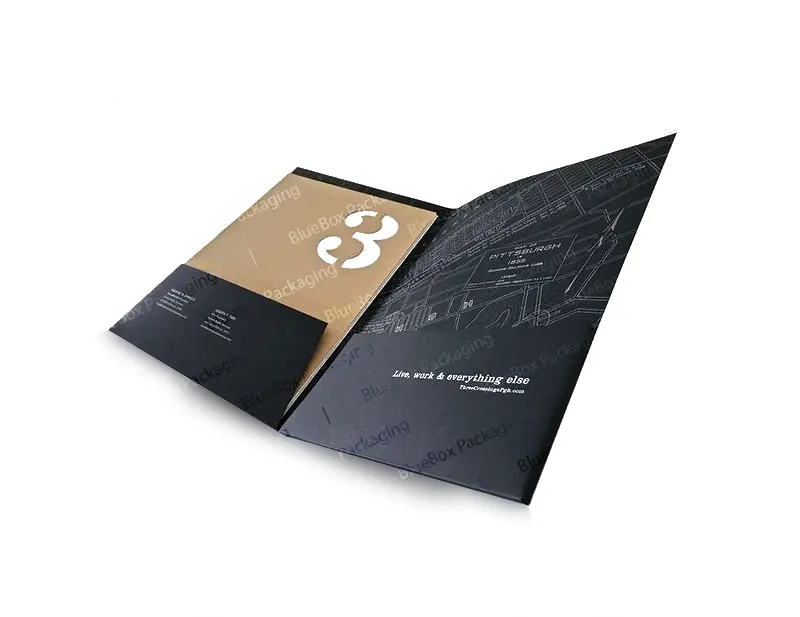
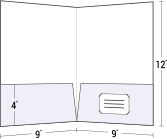
An organized folder structure is fundamental for efficient document management, particularly in both physical and digital formats. The folder hierarchy represents an interconnected framework that enhances navigability and accessibility. Utilizing a tree structure, it delineates parent-child relationships among folders, facilitating user interaction with files. A well-organized folder structure plays an essential role in determining naming conventions and structural arrangements, ensuring clarity and searchability. Pocket folders exemplify a tangible application of these principles, illustrating how effective hierarchies can simplify information retrieval. By adhering to these guidelines, users can maintain efficient and manageable systems for their documents across various contexts. In digital environments, the implementation of hierarchical file systems significantly improves search performance compared to flat structures. Additionally, structured environments allow users to navigate through nested folder systems more easily, enhancing overall user experience.
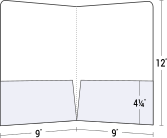
Pocket Folders - Custom Printed
FREE SAMPLES by companyfolders.com
Popular Wiki Terms:
Best Practices for Organizing Folders
Organizing folders effectively is crucial for maintaining efficiency in document management systems. Best practices include standardizing naming conventions for files related to marketing kits and conference materials. It is advisable to avoid special characters and implement version control to track document changes. Regular clutter management, such as quarterly cleanups and archiving obsolete files, enhances organization. Logical folder nesting by function and aligned workflows optimizes task efficiency. Regular decluttering practices should establish naming rules and utilize cloud-synced platforms for real-time access. Finally, maintaining accessibility through automated sorting and regular audits guarantees that short-run capabilities for digital printing remain easily retrievable, as a strong file organization system supports productivity. Creating an organized system for files can significantly improve the ability to find needed files efficiently on a computer.
References & Data Sources:
https://simple.wikipedia.org/wiki/Folder_%28computing%29 – Retrieved April 29, 2025
https://www.suitefiles.com/guides/folder-structures-guide/ – Retrieved May 1, 2024
https://www.hendrik-erz.de/post/understanding-files-and-folders-a-primer – Retrieved February 1, 2025
https://www.companyfolders.com/all-pocket-folders – Retrieved April 24, 2025
https://www.microsoft.com/en-us/microsoft-365/business-insights-ideas/resources/11-ideas-for-how-to-organize-digital-files – Retrieved May 1, 2025
https://www.sergroup.com/en/knowledge-center/blog/7-folder-system.html – Retrieved May 1, 2025
https://officedynamics.com/the-admins-guide-to-organizing-digital-files/ – Retrieved May 1, 2025
https://tradeonlyfolders.com/sample-kit.html – Retrieved May 1, 2025
https://www.bluesummitsupplies.com/blogs/resources/folder-types – Retrieved May 1, 2025
https://www.ezcomputersolutions.com/blog/best-practices-organizing-business-files/ – Retrieved April 30, 2025
https://zapier.com/blog/organize-files-folders/ – Retrieved April 30, 2025
https://www.filecenter.com/blog/folder-structures-guide/ – Retrieved April 30, 2025
https://en.wikipedia.org/wiki/Hierarchical_file_system – Retrieved April 30, 2025
https://www.lenovo.com/us/en/glossary/hierarchical-file-system/ – Retrieved April 30, 2025
https://www.adobe.com/acrobat/resources/tips-for-organizing-digital-documents.html – Retrieved April 30, 2025
https://forum.gettingthingsdone.com/threads/nyt-wirecutter-article-on-organizing-digital-files.17523/ – Retrieved April 30, 2025