
CAD (Computer-Aided Design) Definition
Computer-Aided Design (CAD) is a technology that utilizes computer software for the creation, modification, analysis, and optimization of designs. It enables both 2D and 3D modeling, facilitating enhanced visualization and testing. CAD systems vary in type, including parametric, architectural, and hybrid models. Applications span multiple industries, such as engineering and aerospace, improving design accuracy and efficiency. The integration of advanced technologies continues to shape its role, revealing further nuances in its functionality and impact on various sectors.
Understanding CAD Software
Computer-Aided Design (CAD) software is an essential tool in various industries, facilitating the creation of digital designs for both two-dimensional and three-dimensional representations. It encompasses CAD drafting and 3D modeling, enabling the production of precise technical drawings and engineering schematics. Key functionalities include design validation, manufacturing integration, and dynamic analysis, which enhance the accuracy and efficiency of design processes. By utilizing parametric modeling and smart components, designers can maintain consistency and streamline complex assemblies. CAD software also supports strength and dynamic analysis of assemblies, ensuring that designs meet performance and safety standards. The modern and ergonomic design of CAD interfaces enhances user productivity and reduces the learning curve for new users. This software significantly increases productivity by simplifying processes and reducing errors, making it a fundamental asset in today’s design workflows.
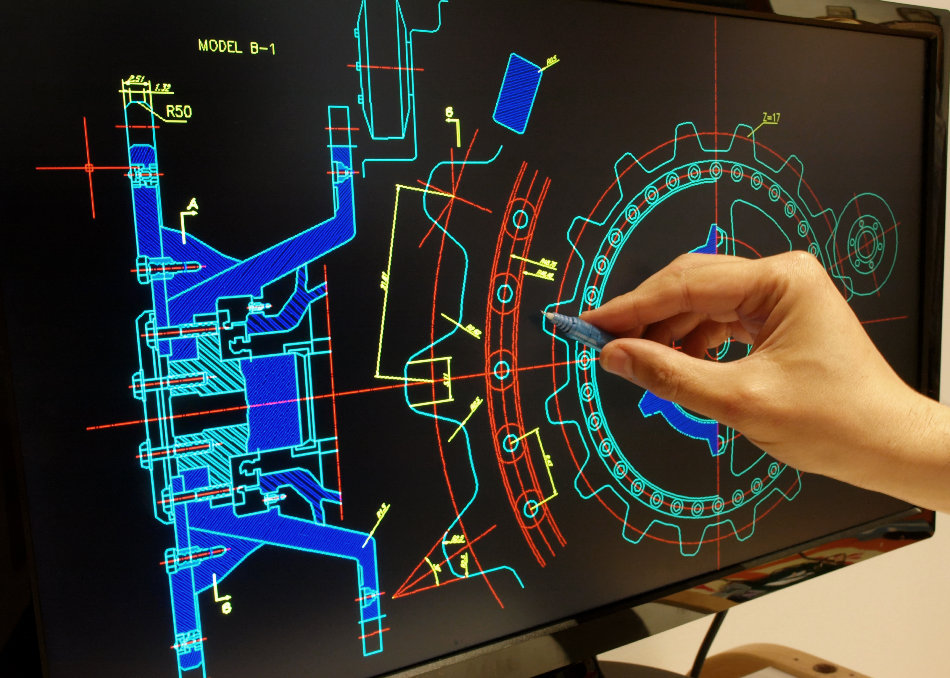
Rapid Tooling with Computer-Aided Design (CAD) by azom.com

Computer Aided Design (CAD) Software Market Report
Types of CAD Systems
CAD systems are categorized based on dimensionality, functionality, industry application, and specializations. The primary types include 2D CAD Systems, which create flat drawings, and 3D CAD Systems that allow for solid object manipulation. CAD aids in the creation of designs through these various systems, enhancing productivity and design quality. Parametric CAD utilizes parameters for precise model definition, while Architectural CAD focuses specifically on building designs and engineering plans. The importance of CAD in CNC machining highlights its role in providing a digital roadmap for accurate manufacturing, ensuring designs are precisely executed. Additional categories encompass 2.5D CAD for basic elevation data, freeform CAD for complex shapes, and hybrid systems that merge 2D and 3D functionalities. Each type serves distinct purposes, enabling professionals to meet diverse design needs across various industries effectively. The evolution of CAD software has led to more defined distinctions among these types, ensuring that advancements are aligned with industry requirements.
Step-by-step manufacturing process in AM. Designing step consists ... by researchgate.net
Applications of CAD in Various Industries
The applications of CAD span multiple industries, each leveraging its capabilities to enhance design processes and improve outcomes.
In engineering, CAD facilitates the creation of technical illustrations for aerospace, automotive, and structural designs, ensuring precision and efficiency. CAD in aerospace develops safe and efficient aircraft by combining modeling and simulation to address engineering challenges. The integration of advanced technologies in CAD further enhances design accuracy and efficiency, allowing for increased productivity in the engineering workflow.
In architecture, it supports the development of architectural plans and 3D renderings, enabling thorough visualizations for client presentations and sustainability analyses.
The fashion industry utilizes CAD for product prototyping and pattern making, streamlining design workflows.
CAD finds use in biomedical engineering for customizing medical devices and surgical planning, illustrating its versatility across diverse sectors while meeting specific industry needs.
Key Features of CAD Software
Key features of CAD software encompass a range of capabilities that enhance design processes across various disciplines. These include advanced 2D/3D modeling for creating detailed technical drawings and photorealistic renderings. The software supports cross-platform interoperability, allowing seamless collaboration across different systems. Automation and precision tools, such as smart alignment and macro creation, streamline repetitive tasks, improving efficiency. Robust layer management capabilities enable users to organize complex designs effectively. With customizable views and gradient fills, CAD software facilitates enhanced visualization, ensuring that users can present their concepts clearly and accurately, hence serving the needs of clients across various industries. Also, many CAD programs offer interactive features that engage users and enhance their design experience. The incorporation of 3D presentations allows for a more detailed and comprehensible view of layouts, aiding in the understanding of how designs will appear in reality. Also be aware that CAD software utilizes digital creation to transform conceptual ideas into precise models, further optimizing the design workflow.
Benefits of Using CAD
Utilizing CAD software offers a range of benefits that enhance the design process across various industries.
Accurate blueprints can be generated with sub-millimeter precision, reducing human error and ensuring component compatibility. The software facilitates rapid prototyping cycles, allowing for quick iterations and simulations to optimize material use, contributing to significant cost reductions. Also, CAD systems enable faster and easier creation of 3D models and 2D drawings, streamlining the overall workflow. Additionally, the improved accuracy of CAD systems allows designers to achieve precision unattainable by manual methods, further enhancing the quality of the final output. Also be aware that integrated CAD usage improves product development efficiency by fostering collaboration among teams in design and manufacturing.
Improved collaboration is achieved through cloud-based platforms, enabling real-time edits and feedback among team members. Universal file formats promote cross-platform compatibility, streamlining communication and project management.
Popular Wiki Terms:
The Impact of CAD on Modern Manufacturing
CAD has fundamentally transformed modern manufacturing by enhancing design accuracy and precision.
Manufacturing and engineering design firms now utilize CAD to create detailed models that minimize errors typical in manual drafting. This precision is essential in industries such as aerospace and medical devices, where component fit is critical. The integration of CAD with CAM systems streamlines production processes, allowing for efficient digital plotting and large format printing of schematics. CAD supports advancements like 3D printing, facilitating rapid prototyping and customization. Also, the rise of new market landscapes necessitates that manufacturers manage both mechanical and electronic dimensions together. As a result, CAD enables engineers to create 2D and 3D designs for visualization and testing, further enhancing design processes.
References & Data Sources:
https://www.techtarget.com/whatis/definition/CAD-computer-aided-design – Retrieved April 29, 2025
https://blog.topsolid.com/en/what-are-the-7-essential-features-of-a-cad-software/ – Retrieved May 1, 2024
https://www.autodesk.com/solutions/cad-software – Retrieved February 1, 2025
https://www.azom.com/article.aspx?ArticleID=1325 – Retrieved April 24, 2025
https://en.wikipedia.org/wiki/Computer-aided_design – Retrieved May 1, 2025
https://www.worthyhardware.com/news/computer-aided-design/ – Retrieved May 1, 2025
https://profiletree.com/types-of-cad-software/ – Retrieved May 1, 2025
https://www.researchgate.net/figure/Step-by-step-manufacturing-process-in-AM-Designing-step-consists-of-CAD-modeling-and_fig2_362943126 – Retrieved May 1, 2025
https://chartercollege.edu/news-hub/7-industries-that-use-cad/ – Retrieved May 1, 2025
https://www.3erp.com/blog/computer-aided-design/ – Retrieved April 30, 2025
http://jp-murphy.com/blog/computer-aided-design-industry/ – Retrieved April 30, 2025
https://www.cadpro.com/computer-aided-design-features/ – Retrieved April 30, 2025
https://warehouseblueprint.com/5-key-features-of-cad-software-you-should-be-aware-of/ – Retrieved April 30, 2025
https://www.ptc.com/en/technologies/cad – Retrieved April 30, 2025
https://fractory.com/cad-advantages/ – Retrieved April 30, 2025
https://www.arcvertex.com/article/advantages-and-disadvantages-of-using-computer-aided-design-cad/ – Retrieved April 30, 2025
https://www.cadcrowd.com/blog/the-advantages-of-cad/ – Retrieved April 30, 2025
https://www.goodwin.edu/enews/the-importance-of-computer-aided-manufacturing/ – Retrieved April 30, 2025
https://www.globenewswire.com/news-release/2024/12/17/2998088/28124/en/Computer-aided-Design-Market-Forecast-Report-to-2030-Design-Innovation-is-Driving-Transformational-Growth-through-the-Adoption-of-Advanced-Technologies-and-Cloud-based-Deployments-.html – Retrieved April 30, 2025
https://www.essentracomponents.com/en-us/news/trends/industry-40/is-cad-still-relevant-in-the-manufacturing-industry – Retrieved April 30, 2025