
Adobe InDesign Definition
Adobe InDesign is an extensive desktop publishing software utilized for crafting print and digital layouts. It supports the creation of brochures, magazines, and interactive PDFs. Key features include advanced typography management, layout tools, and automation options. InDesign integrates seamlessly with Adobe Creative Cloud and allows for real-time collaboration through InCopy. It offers various exporting options, including adherence to PDF/X standards for print-ready files. Users can explore additional details about its capabilities and functionalities.

Quick Summary
- Adobe InDesign is a desktop publishing software used for creating print and digital layouts, such as brochures and magazines.
- It offers advanced typography management and robust layout tools to streamline content creation.
- InDesign integrates with Adobe Creative Cloud, enhancing collaboration and access to resources.
- The software supports interactive content, including PDF forms and multimedia embedding.
- InDesign ensures compliance with PDF/X standards for high-quality, print-ready file exports.
Overview of Adobe InDesign
Adobe InDesign is an extensive desktop publishing software widely utilized for creating print and digital layouts. It serves graphic designers by providing robust tools for layout design across various media, including brochures, magazines, and interactive PDFs. InDesign facilitates prepress preparation, ensuring that files are optimized for commercial printing and digital distribution. The software supports multi-page layouts, enabling the efficient creation of books, catalogs, and corporate materials. Its integration with Adobe Creative Cloud enhances workflow, making it a preferred choice in the publishing industry. Users can join the conversation within the InDesign community to exchange tips and experiences. This software supports creation of PDFs and interactive publications for professionals aiming to produce high-quality, visually appealing content. Also, InDesign plays a significant role in the magazine production process, contributing to effective design and layout for periodical publications. InDesign is known for its advanced typography capabilities, which allows users to customize fonts and typesetting extensively.
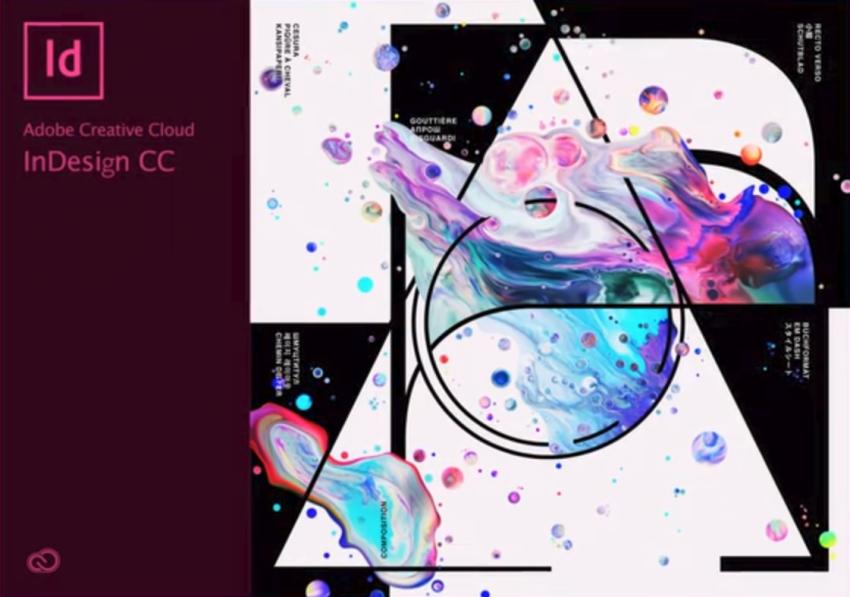
DTP/layout best practices for translating InDesign files by abroadlink.com
New generative AI features come to Adobe Photoshop by amateurphotographer.com
photoshop #adobe #photoshop #splashscreen by linkedin.com
Key Features and Functionality
The key features and functionality of InDesign make it a powerful tool for desktop publishing and layout design.
InDesign excels in digital typesetting, offering advanced typography management with character and paragraph styles, OpenType support, and multi-language compatibility. Its robust layout tools streamline content creation, ensuring that designs can be executed with precision and efficiency. This software is ideal for campaigns with large amounts of text, allowing for effective organization and presentation. Also be aware that InDesign’s integration with Adobe Stock provides access to a vast library of templates and resources that can enhance design projects. The software also ensures PDF/X Standards compliance, which is crucial for achieving print-ready files and minimizing common printing issues. The use of 120gsm paper can significantly enhance the quality of printed materials produced through InDesign, providing a professional finish.
Its page layout automation includes parent pages and auto-layout systems that enhance efficiency for print production specialists.
The software benefits from Adobe Creative Cloud integration, facilitating asset management and collaboration.
Interactive content capabilities, such as hyperlinks and embedded media, enrich digital publications.
Preflight checks verify print-ready files, further enhancing the reliability and quality of the output.
New generative AI features come to Adobe Photoshop by amateurphotographer.com
Advanced Tools and Capabilities
Advanced tools and capabilities in InDesign greatly enhance the user experience for graphic designers and print production specialists.
The software offers advanced typography features such as nested character styles and a cross-referencing system, ensuring design and layout precision. Users benefit from improved workflow efficiency through data merge automation and customizable grid systems. InDesign supports interactive and responsive output with features like interactive PDF forms and multimedia content embedding. These tools facilitate the creation of dynamic, engaging publications while maintaining high standards of quality, essential for various publishing formats in publishing, commercial printing, and digital design. The customizable workspace layout allows users to arrange tools and panels according to their preferences, further streamlining their design process. Also be aware that the integration of CC Libraries enhances collaboration and efficiency by allowing designers to easily share and reuse assets across multiple projects. With its extensive vector graphics capabilities, InDesign complements Adobe Illustrator’s strengths, making it a powerful combination for creating professional-grade designs. Inkjet technology, known for its precision and high-quality prints, allows for vibrant colors and detailed graphics that elevate the overall design quality.
Integration With Other Adobe Products
Integration with other Adobe products enhances workflow efficiency and collaboration for users of InDesign. This synergy allows for seamless cross-application functionality, benefiting sectors such as commercial printing, digital printing, and packaging prototypes. Users can directly import layered files from Photoshop or vector graphics from Illustrator, ensuring that any updates in source files are automatically reflected in InDesign. The shared editing capabilities of InCopy enable real-time collaboration between editors and designers. Assets stored in Creative Cloud can be accessed across Adobe applications, streamlining project management for publishers and enhancing overall productivity in design workflows. By leveraging the power of InDesign Server, users can further enhance their publishing workflows with server capabilities, supporting high-volume document processing. Also, advanced design features allow users to create complex layouts and typography that are essential for professional publishing. The integration with other Adobe applications also simplifies the process of importing graphics and managing design elements across projects. This interconnectedness is crucial for industries utilizing HP Indigo technology, as it allows for high-quality print production and efficient handling of variable data printing that is increasingly popular in digital printing workflows.
Popular Wiki Terms:
Exporting and Publishing Options
Exporting and publishing options in Adobe InDesign provide essential tools for preparing documents for various output formats. Users can export files as PDFs, adhering to PDF/X standards for print or digital use. Custom presets streamline workflows, ensuring consistency with press specifications. The application also supports exporting images in formats like JPEG and PNG, allowing users to specify resolution and quality. The packaging feature collects all linked assets, including fonts and graphics, into a single folder. This facilitates collaboration, ensuring all necessary elements are available for production. To ensure high-quality exports, users should configure the export PDF settings appropriately, including compression and marks for printing. For optimal results, users must also ensure proper PDF export process settings are followed to maintain document integrity.
References & Data Sources:
https://helpx.adobe.com/indesign/user-guide.html – Retrieved April 6, 2025
https://224664-286886.apps-06.cloudsonic.dev/term/magazines/ – Retrieved April 8, 2024
https://www.nobledesktop.com/classes-near-me/blog/what-is-indesign – Retrieved January 8, 2025
https://abroadlink.com/blog/translation-indesign-files – Retrieved April 1, 2025
https://amateurphotographer.com/latest/photo-news/new-generative-ai-features-come-to-adobe-photoshop/ – Retrieved April 8, 2025
https://www.meegle.com/en_us/topics/content-tool/adobe-indesign – Retrieved April 8, 2025
https://www.canto.com/blog/what-is-adobe-indesign/ – Retrieved April 8, 2025
https://tekpon.com/software/adobe-indesign/reviews/ – Retrieved April 8, 2025
https://224664-286886.apps-06.cloudsonic.dev/term/pdf-x-standards/ – Retrieved April 8, 2025
https://224664-286886.apps-06.cloudsonic.dev/term/120gsm-paper/ – Retrieved April 7, 2025
https://blog.pageproof.com/guide-to-using-adobe-indesign/ – Retrieved April 7, 2025
https://helpx.adobe.com/indesign/using/workspace-basics.html – Retrieved April 7, 2025
https://224664-286886.apps-06.cloudsonic.dev/term/adobe-illustrator/ – Retrieved April 7, 2025
https://224664-286886.apps-06.cloudsonic.dev/term/inkjet/ – Retrieved April 7, 2025
https://developer.adobe.com/indesign/ – Retrieved April 7, 2025
https://www.studocu.com/en-us/messages/question/6701148/summarize-information-about-adobe-indesign-and-associated-file-formats – Retrieved April 7, 2025
https://helpx.adobe.com/indesign/faq.html – Retrieved April 7, 2025
https://224664-286886.apps-06.cloudsonic.dev/term/hp-indigo/ – Retrieved April 7, 2025
https://224664-286886.apps-06.cloudsonic.dev/term/digital-printing/ – Retrieved April 7, 2025
https://helpx.adobe.com/indesign/using/export-jpeg-format.html – Retrieved April 7, 2025
https://imagogroup.com/supplying-files-to-imago/how-to-export-files-using-adobe-indesign/ – Retrieved April 7, 2025
https://www.modernpostcard.com/knowledge/preparing-materials/indesign-save-settings – Retrieved April 7, 2025